
Inventory Settings
Lumix Inventory adds a player settings panel on top of ox_inventory. These docs cover only the custom Lumix settings layer.
TIP
Screenshots are from the browser NUI preview. Replace PNGs in public/products/inventory/ with in-game captures anytime.
General
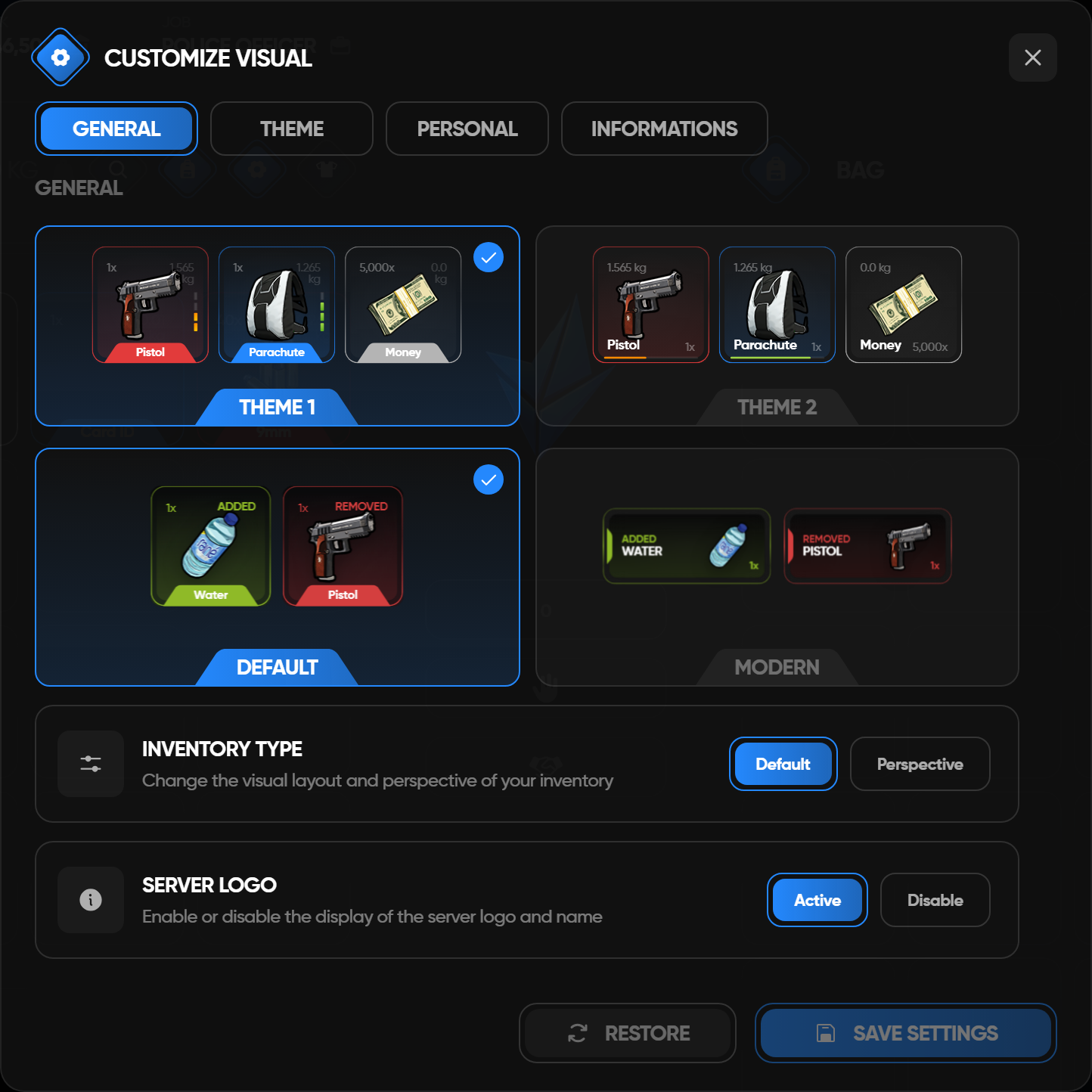
| Setting | Effect |
|---|---|
| Slot theme | Switches item slots between Style 1 and Style 2 |
| Notification style | Switches item notification cards between Default and Modern |
| Inventory type | Enables the Perspective layout style when the inventory is minimized |
| Server logo | Shows or hides the Lumix server logo in the inventory shell |
Theme
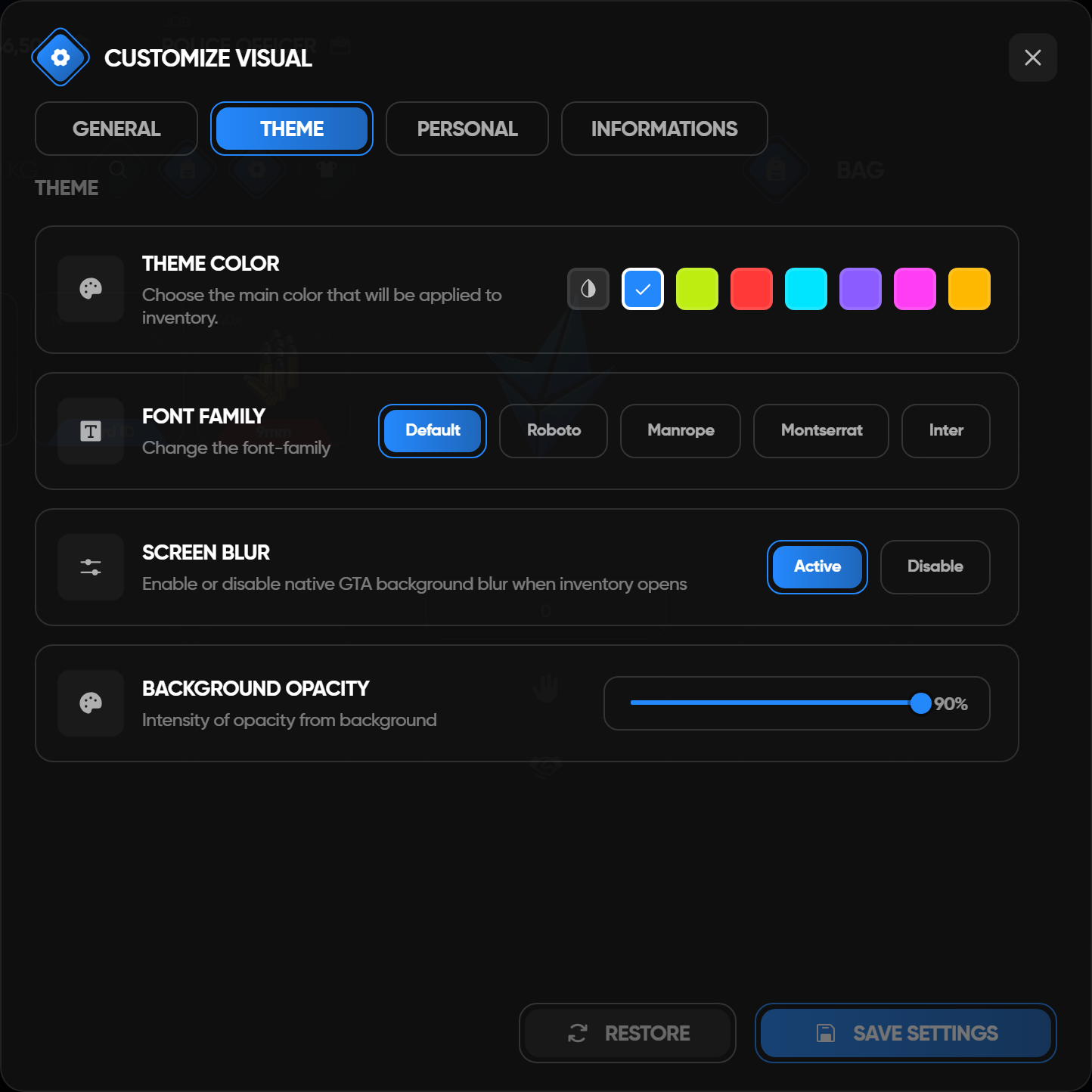
| Setting | Effect |
|---|---|
| Theme color | Updates the main inventory accent color |
| Font family | Changes the inventory UI font |
| Screen blur | Enables or disables native GTA screen blur while inventory is open |
| Background opacity | Controls the inventory DUI/background intensity |
Personal
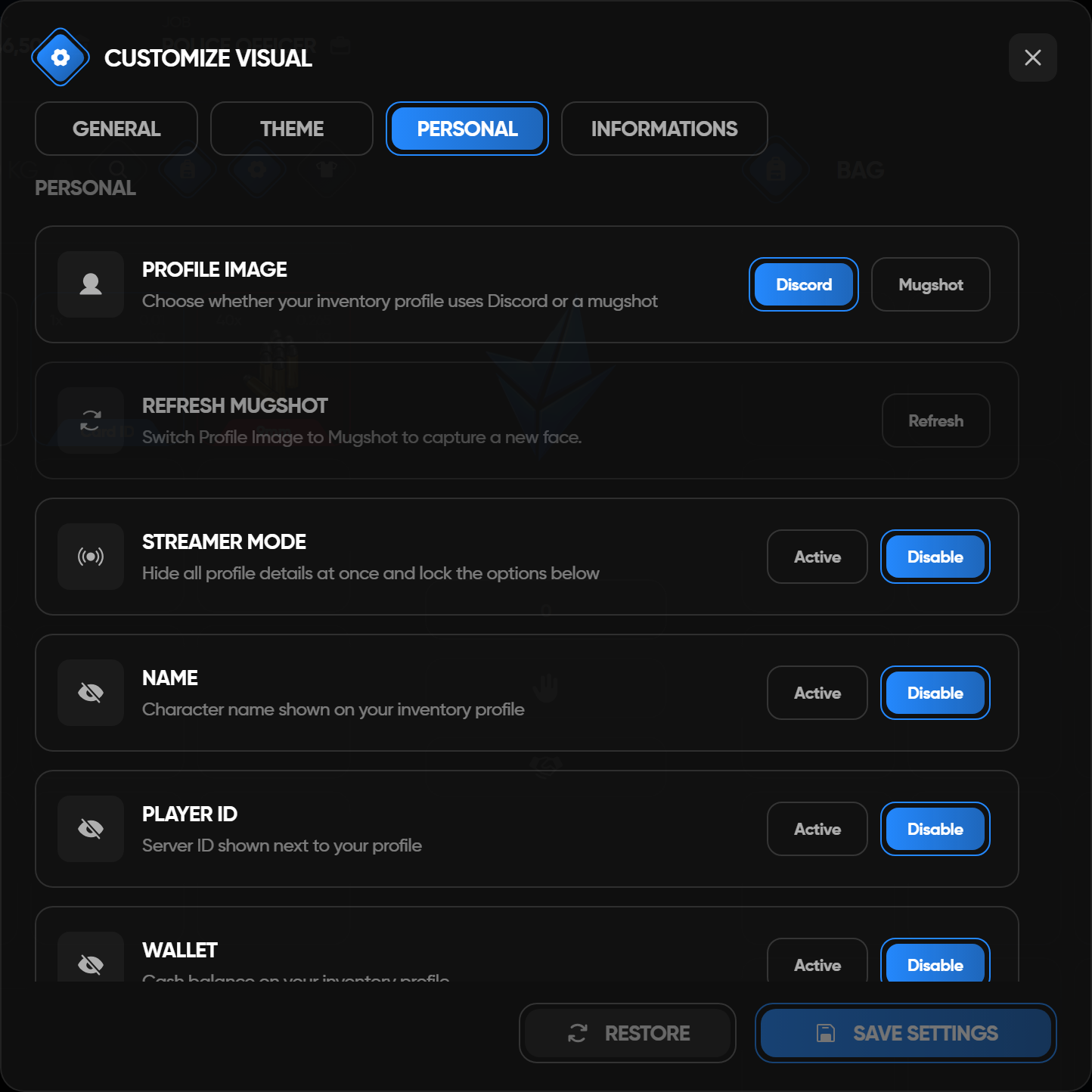
| Setting | Effect |
|---|---|
| Profile image | Uses Discord avatar or captured mugshot |
| Streamer mode | Masks all personal profile fields at once |
| Name / ID / Wallet / Bank / Job | Masks individual profile fields |
| Refresh Mugshot | Captures the current ped face when Mugshot is selected |
Persistence flow
Settings are stored per player in the MySQL table lumix_inventory_settings.
txt
Settings UI
  -> fetchNui('getInventorySettings' / 'saveInventorySettings')
  -> client NUI callback
  -> lib.callback server handler
  -> lumix_inventory_settings
  -> response back to frontend store
The frontend applies theme values immediately for preview. Saving commits the sanitized server response back into the Redux settings store.
Server owner config
Edit custom/config.lua in the inventory resource.
| Config table | Purpose |
|---|---|
LumixSettings.defaults | Default values for players without saved preferences |
LumixSettings.enabled | Shows/hides settings and locks hidden settings to defaults |
Disabled settings are not saved from player input. Invalid values fall back to safe defaults.
Base ox_inventory setup, items, shops, stashes, crafting, and framework behavior are unchanged.