
Player UI
The shop tablet is one NUI page (coinshop) with a left rail of sections. Crates use a separate full-bleed page.
Open with the NPC, /coinshop, or related commands.
TIP
Screenshots are from the browser NUI preview. Replace PNGs in public/products/coinshop/ with in-game captures anytime.
Shop tablet
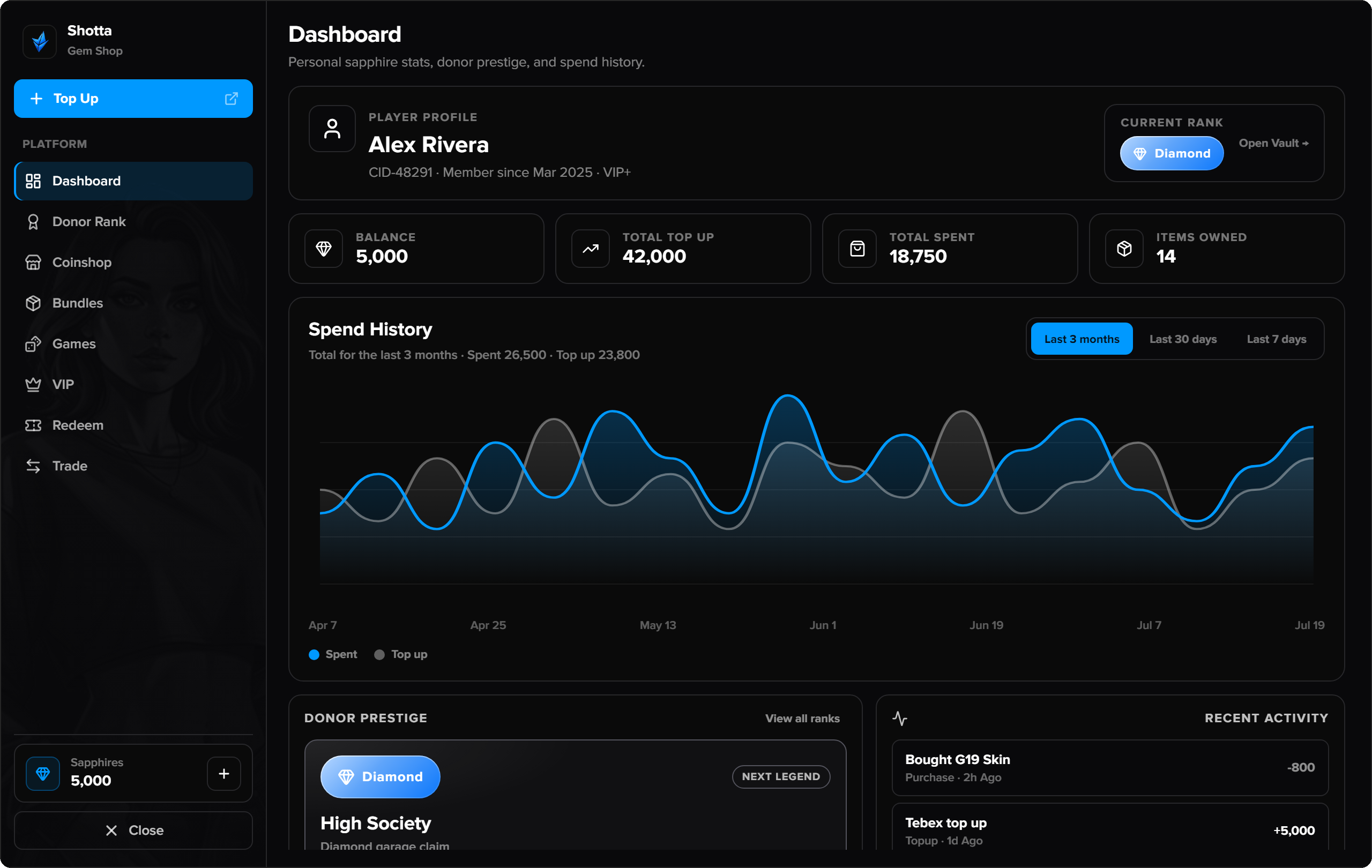
| Section | What players do |
|---|---|
| Dashboard | Balance, donor summary, spend history |
| Donor Rank | Prestige tiers by lifetime spend; claim vault rewards |
| Coinshop | Browse catalog categories; buy with sapphires; Top Up (Tebex) |
| Bundles | Buy in-game sapphire packs (items/vehicles/cash) |
| Games | Lobby → Blackjack or Miner |
| VIP | Compare tiers, buy VIP, claim daily, request VIP vehicle |
| Redeem | Enter Tebex transaction ID → claim sapphires |
| Trade | P2P offers (items, sapphires, cash/bank) with nearby players |
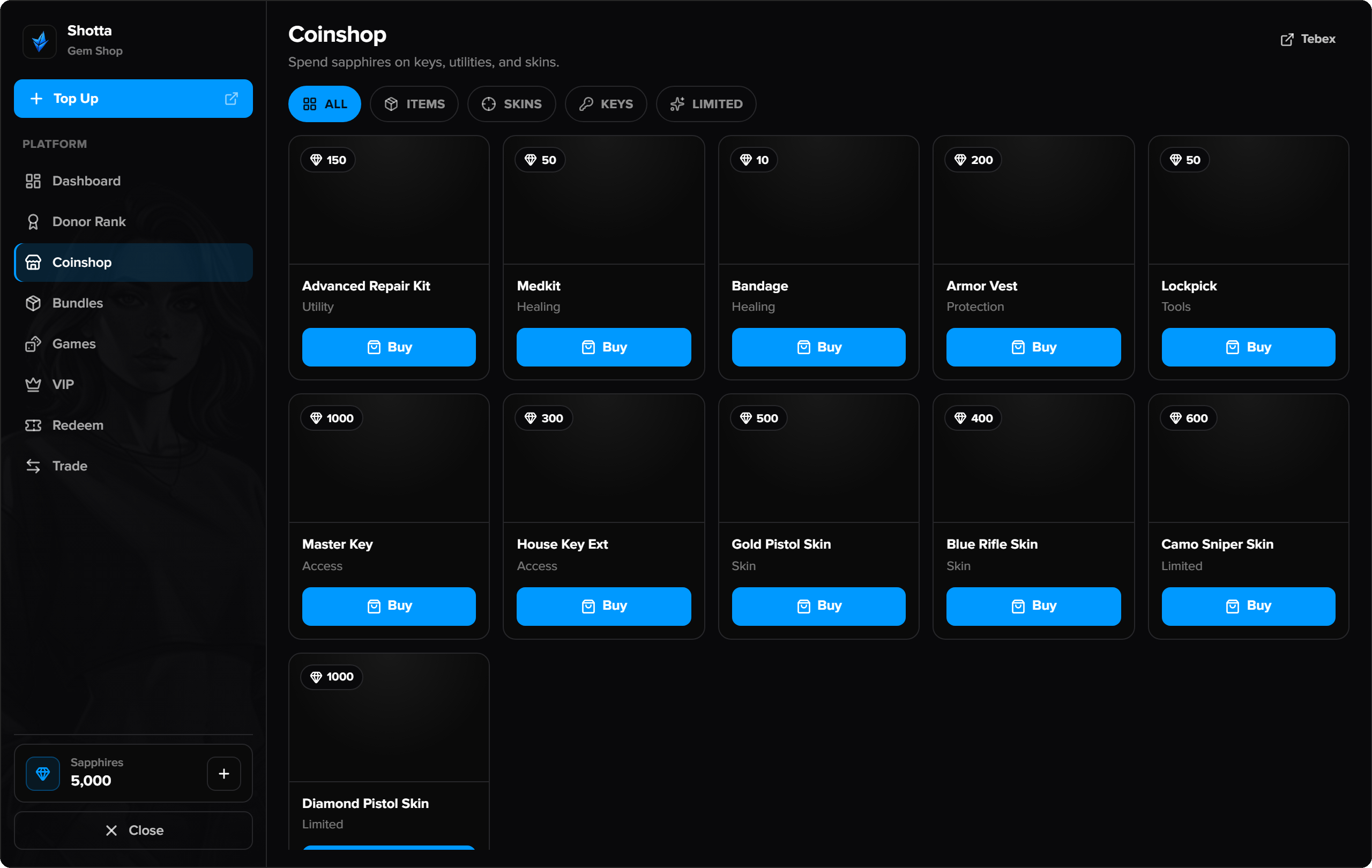
Top Up & Redeem
- Top Up opens your Tebex storefront URL (set in coinadmin → Media).
- Redeem claims pending packages after purchase (see Tebex console commands in Installation).
VIP: shop section vs /vip
/vipmenu or VIP rail | NUI VIP page (tiers, claims, cars) |
/vip | Client extras menu only (clothing, money wash, repair, clean) — not the tablet |
Games
- Blackjack — seats, bets, timed actions (rules in
Config.Games.Blackjack) - Miner — grid picks + risk tables (
Config.Games.Miner) - House edge is server-only (
server/serverConfig.lua)
Crates
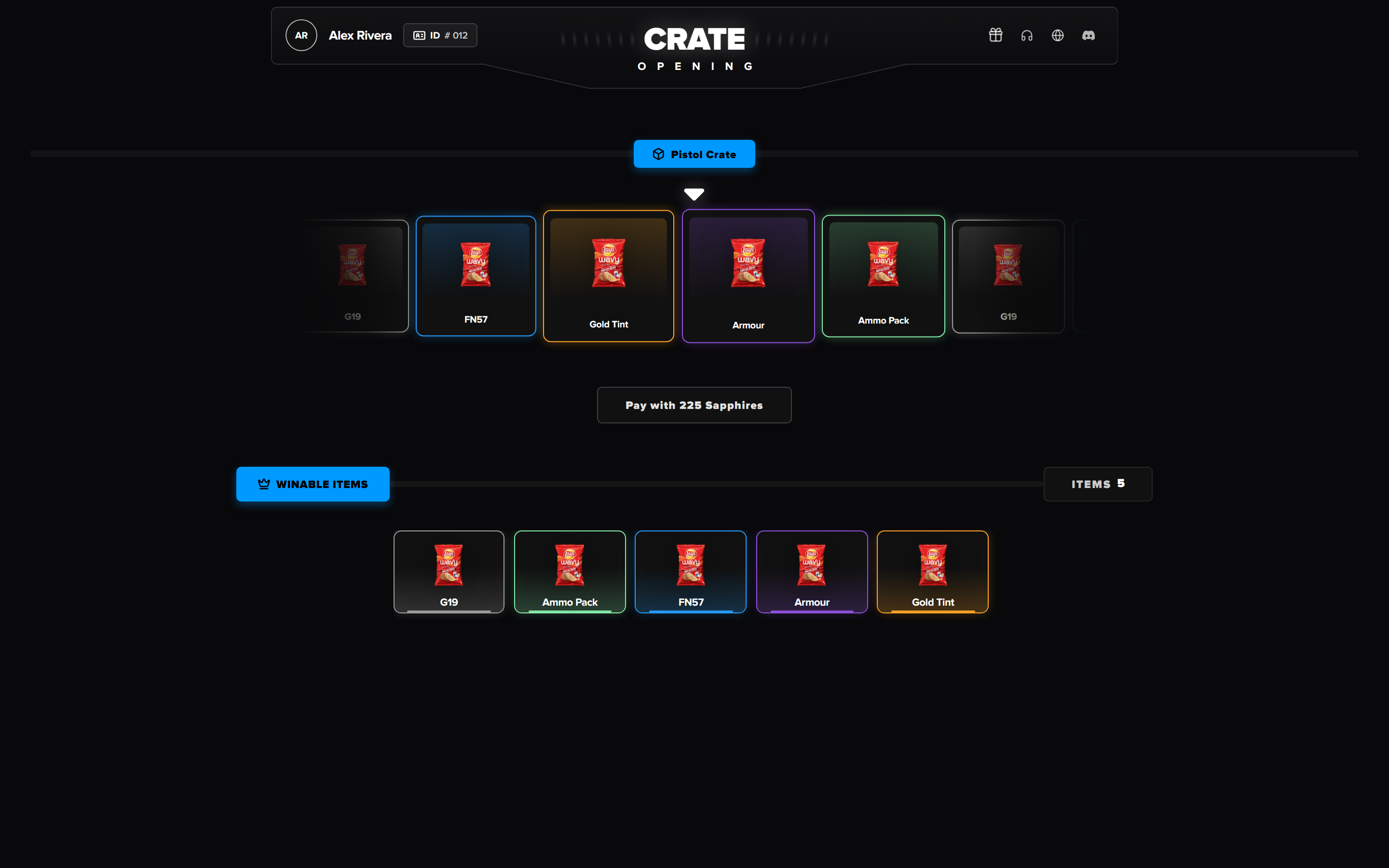
World crates / keys open the crates page (not the tablet):
- Interact with a crate prop (or use a key)
- Spin roulette / pay with sapphire or key
- Claim the reward
Crate props, loot, and payments are edited in /coinadmin → Crates.